 Snap Eighteen
Better Group Photos: Framing, Eyes, and Burst Mode
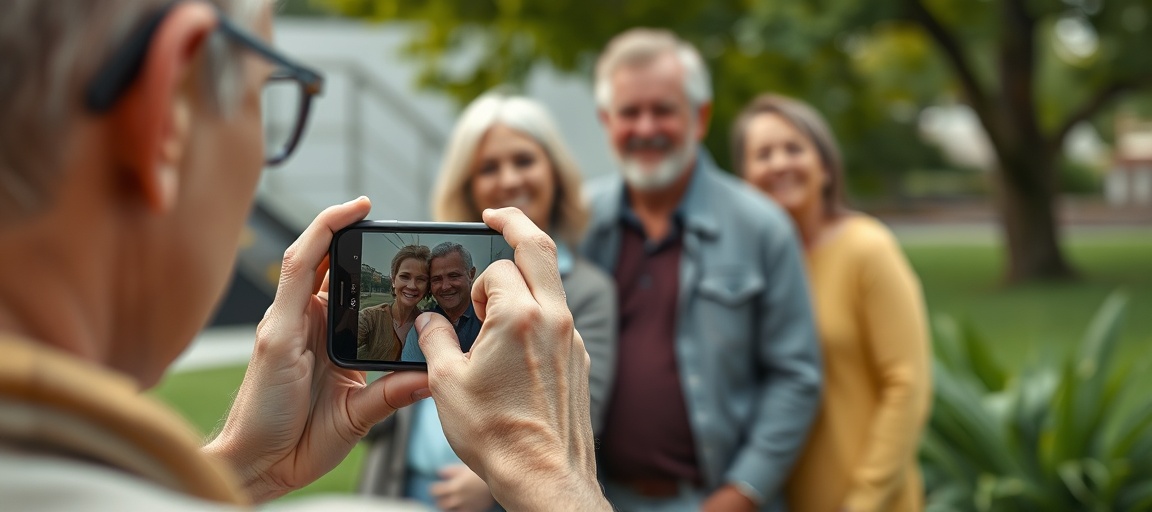
Learn how to improve your group photos by focusing on framing, getting everyone's attention, and using your phone's burst mode feature to capture the perfect moment.
Set Up Your Shot
Find a clear space for your group photo. Look for a background that is not too busy or distracting. Avoid elements like trash cans, bright signs, or cluttered areas behind the people.
Consider the light in your chosen spot. Aim for even lighting across everyone's faces. Direct overhead sun can create harsh shadows under eyes and noses. Try to position the group so the light is soft and consistent.
Arrange the group for the best composition. Taller people often stand in the back. Shorter people or children can be placed in the front. Try to keep everyone's heads at roughly the same height for a balanced look. Make sure no one is hidden behind another person.
Frame the Group
Open your phone's camera app. Most phones have a grid option in their settings. Turn on the 3x3 grid lines. This grid helps you compose your shot and keep the horizon level.
Position the group in the center of your phone's frame. Use the grid lines to ensure they are balanced. Avoid placing people too close to the very edges of the frame.
Leave a small amount of space around the edges of the group. This prevents cutting off heads, arms, or feet. It also provides room for small adjustments later if you crop the photo. Hold your phone steady with both hands to prevent blur.
Get Everyone's Eyes
Getting everyone to look at the camera at the same time is a common challenge. Start by clearly getting their attention. Say "Look at the camera" loudly and clearly.
Point directly to your phone's camera lens. This helps people know exactly where to focus their eyes. Many phones have multiple lenses; make sure they look at the one you are using.
Use a countdown. Say "Ready, 3, 2, 1, smile." Take the photo just as you say "smile" or "1." This gives everyone a moment to prepare their expression and look at the lens.
Use Burst Mode
Burst mode is your best tool for group photos. It takes a rapid series of photos with a single press of the shutter button. This greatly increases your chance of capturing a moment where everyone has open eyes and a good expression.
To use burst mode, simply press and hold the shutter button on your phone's camera app. Most phones will show a count of how many photos are being taken. Release the button when you are done taking the burst.
If you cannot find burst mode, check your phone's camera settings or user manual. Some phones might call it "sequence shot" or have a specific gesture, like swiping the shutter button, to activate it.
Review and Select
After taking a burst, go to your phone's photo gallery. Burst photos are usually grouped together as a single item, often with a small icon indicating it is a burst.
Tap on the grouped photos to view them. You can typically swipe through each individual photo in the burst. Some phones let you select favorites directly from the burst view.
Look closely at each photo. Find the one where everyone's eyes are open, smiles are natural, and no one is blinking or looking away. Once you choose the best photo, save it as an individual picture. Delete the rest of the burst to free up storage space on your phone.
Take Multiple Bursts
Do not stop at just one burst. Take several. Ask the group to shift positions slightly between bursts. This can create a new dynamic and offer different angles.
Try asking for different expressions. Ask for one serious look, then one big smile. This adds variety to your photo collection.
Vary your own position. Step a little closer or farther back. Change your angle slightly. Taking multiple bursts from different perspectives gives you many options to choose from later.
Optimize Your Lighting
Good lighting makes a big difference in group photos. Avoid shooting directly into bright sunlight or a strong light source. This can cause harsh shadows on faces or make people look like silhouettes.
Position the group so the main light source, like the sun or a large window, is in front of them and behind you. This lights their faces evenly and softly. Overcast days offer natural, soft lighting.
If you are indoors and it is dark, turn on available room lights. Avoid mixing very warm and very cool light sources if possible, as this can create strange color casts on people's skin.
Questions
How do I turn on grid lines on my phone camera?
Open your camera app, then look for a settings or gear icon. In the camera settings, you should find an option for 'grid' or 'grid lines.' Tap to turn this feature on.
My phone does not seem to have burst mode. What should I do?
If your phone lacks a dedicated burst mode, take multiple single photos very quickly. Press the shutter button repeatedly in rapid succession. This achieves a similar effect, giving you several frames to choose from.
How do I get everyone to look at the correct camera lens?
Clearly point to the specific lens you are using on your phone. Then, give a clear countdown like '3, 2, 1, look here.' This directs their attention to the right spot just before you take the photo.
What if someone blinks in the group photo?
This is where burst mode is most helpful. It takes many photos in quick succession, greatly increasing the chance of catching a frame where everyone's eyes are open. If you do not use burst mode, take several photos back-to-back to improve your chances.
Snap Eighteen is a shared camera for your event. Guests scan a code, everyone’s photos land in one album, and the album closes when the event ends.
See how it works