 Snap Eighteen
How to Collect Reunion Photos From Relatives Who Skip Apps
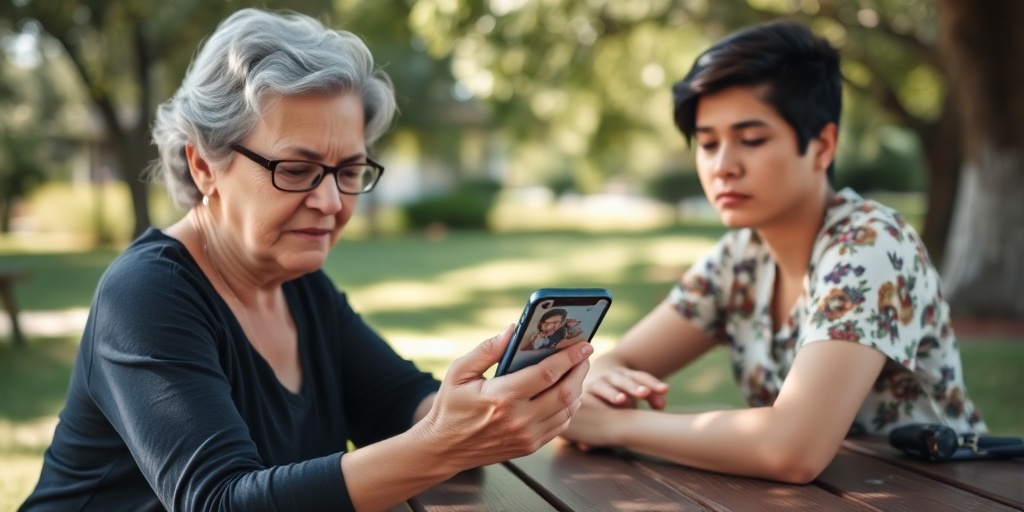
How to gather reunion pictures from older relatives and family members who refuse to download new apps or create accounts.
The download hurdle
Every family has relatives who will not install a new app. Some have full storage on their phones. Others forgot their app store passwords five years ago, or they distrust permissions and accounts. When an organizer tells seventy people to download a specific platform before the reunion, half the group simply ignores the request.
The photos those relatives take are often the best ones. Grandparents sit in the center of conversations and catch small, unposed interactions between cousins that everyone else misses. If your collection method requires a password reset or an app store download, those photos stay locked on their personal camera rolls forever.
A successful collection plan accepts this reality early. Instead of forcing everyone onto one platform, you build two or three frictionless paths that require zero installations.
Set up a physical intake station
A physical intake station solves the hardware problem directly. Set up a small table near the drinks or dessert station with a power strip, a laptop, and three basic cable types: USB-C, Lightning, and Micro-USB. Bring a multi-format SD card reader for older digital point-and-shoot cameras.
Label the station clearly with a simple paper sign. Staff it during natural pauses in the day, such as right after lunch or before the evening meal. Ten minutes of focused time at a laptop can pull hundreds of high-resolution images from phones that have never been backed up to the cloud.
- Plug the guest's phone into the laptop using the appropriate cable.
- Have the owner unlock their screen and tap Trust This Computer.
- Drag the day's photos directly into a desktop folder labeled with their branch of the family.
- Hand the phone back immediately so they do not worry about privacy.
Use zero-install browser links
If you want people to contribute during the event without handing over their phones, use systems that run entirely in a mobile web browser. Every modern phone has a built-in camera and a browser. Scanning a QR code with the native camera app should open an upload page directly, with no account registration, username, or app store visit required.
This is where a tool like Snap Eighteen works well. Guests point their camera at a printed QR code on the tables, tap the banner that pops up on their screen, and can immediately take or upload photos into a single shared album. Because there is no app to install, reluctant relatives can participate without touching their phone settings.
Print the QR code on heavy cardstock and place it in two or three high-traffic areas: the registration table, the buffet line, and near the main seating area. Add one sentence of instructions below the code: Point your phone camera here to add your photos.
Assign photo runners
Technology does not replace personal help. Recruit two younger family members, such as teenagers or college students, to act as photo runners during the reunion. Give them a clear task: visit older relatives during coffee or dessert and help them move their photos.
People who feel overwhelmed by tech often welcome someone else handling it for two minutes. A runner can sit down, ask to see the photos Uncle Joe took during the softball game, and air-drop, text, or upload them while chatting. It turns an administrative chore into a pleasant interaction between generations.
Create a dedicated text line or email
Almost every relative who avoids apps still knows how to send an SMS text message or an email. Set up a single dedicated email address for the event, such as millerfamily2025@gmail.com, or use a Google Voice number that accepts MMS messages.
Text messages will compress image quality, but an image with modest compression is far better than no image at all. Print the email address and phone number on the reunion schedule or paper program so people have it in their hands.
Check this inbox each evening. Save incoming attachments into the master folder immediately, renaming them with the sender's name so you know who took each shot.
Collect before Sunday morning departures
Once people pack their cars and drive away, the response rate drops to near zero. Follow-up emails sent on Tuesday will be ignored by the relatives who do not use apps.
The best collection window is the final evening of the reunion or during the farewell breakfast. Announce a fifteen-minute photo sweep over the microphone. Remind everyone that the intake station is open, have your runners make one final lap around the room, and pull the images before luggage goes into trunks.
Questions
How do I get full-resolution photos from relatives using text messaging?
Standard cellular text messages automatically compress photos. If image quality matters, ask relatives to email the pictures instead, selecting Actual Size or Large when their phone prompts them for an attachment size.
What should I do about relatives who still use disposable or film cameras?
Collect the physical cameras in a labeled box at the end of the reunion. Take them to a local lab or mail them to a development service yourself, requesting digital scans alongside prints so you can merge them into the master album.
How can I share the final collection back to relatives without apps?
Load the curated photos onto inexpensive USB flash drives and mail them, or print a physical softcover photo book for older relatives who do not view digital galleries. For those with email, send a direct web link that does not require an account to view.
Is AirDrop reliable for collecting reunion photos?
AirDrop works very fast for transferring full-resolution files between Apple devices without using internet data. However, it requires both devices to have Wi-Fi and Bluetooth turned on, and it does not work if one of the relatives uses an Android phone.
Snap Eighteen is a shared camera for your event. Guests scan a code, everyone’s photos land in one album, and the album closes when the event ends.
See how it works