 Snap Eighteen
Event Photo Privacy: Consent, Faces, and Shared Albums
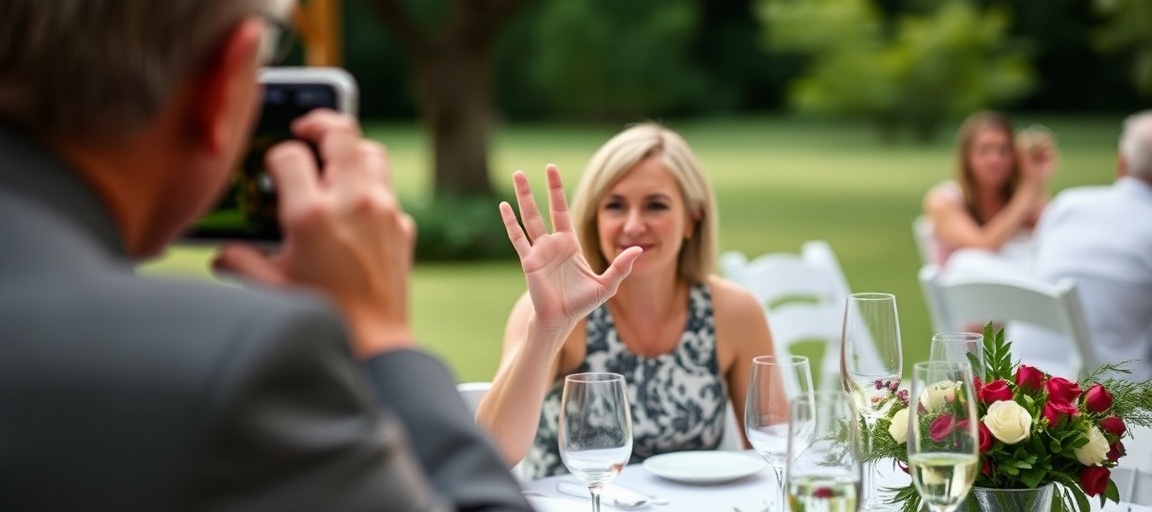
Learn how to manage your privacy at events, ask for photo consent, and control who can see photos of your face in shared albums.
The shift from private camera rolls to public feeds
A photo taken on a smartphone used to sit in one person's pocket until they chose to show it to someone else. Today, weddings, birthday parties, and company dinners often run on shared links, communal cloud folders, and shared QR codes on tables. When you smile for a photo at dinner, that image rarely stays on just the photographer's device.
Most guests do not mind being photographed, but very few understand where the file goes next. A casual snapshot taken over drinks can end up in an unlisted Google Photos album, a public Dropbox folder, or an open social media story within minutes. Once a photo leaves the local camera roll, you lose control over who downloads, crops, or redistributes it.
Three categories of consent at private gatherings
Consent is not a binary contract signed at the door. At any social gathering, people have different comfort levels based on their employers, personal safety concerns, or simple preference for privacy.
You can split consent into three practical categories before you raise your camera:
- Broad social photos: Group shots at a table, people laughing on a dance floor, or wide room shots. Most people expect to appear in the background of these, but they should never focus on an individual looking compromised or distressed.
- Direct portraits: Photos where one or two faces fill the frame. Always ask before snapping: 'Can I take a quick photo of you two?' A verbal yes covers taking the photo, but it does not automatically cover publishing it.
- Children and dependents: Never upload photos showing children's faces to a shared album without explicit, direct permission from their parents. Many families keep strict rules against any digital footprint for their kids.
Questions to ask about the event album
If you see a sign asking guests to scan a code and upload photos to a central collection, take five seconds to see how the album is configured. The platform used determines how exposed your photos will be.
First, check if the album requires a login or if anyone with the link can view it. Open links can be forwarded by any guest to outside group chats, coworkers, or strangers. Second, check if guests can download original files directly to their own camera rolls or only view them inside a browser.
Finally, check whether the album stays open forever. Permanent links tend to leak over time as people share them months later. Dedicated platforms like Snap Eighteen handle this by closing the shared album when the event ends, which keeps the collection contained to the people who were actually there.
How to decline a photo without causing friction
Saying no to a photograph can feel awkward, especially during high-energy celebrations. People often freeze and smile simply to avoid disrupting the mood, only to regret it later when the photos circulate.
The cleanest way to decline is to give a brief, pleasant reason immediately, before the camera focuses. A simple 'I am camera-shy tonight, but I will step back so you can grab the group' works without creating tension. If someone is taking candid shots nearby, stepping slightly out of the frame or turning sideways gives the photographer a clear signal to reframe.
What to do if an unwanted photo is uploaded
If you find an unflattering, compromising, or private photo of yourself in a shared album, address it promptly. Photos are easiest to remove in the first twenty-four hours before other guests download the batch to their personal devices.
Message the host or the person who uploaded the image directly. Keep the message short and neutral: 'Hey, I saw that photo of me at the bar in the shared album. Could you delete that one from the collection? Thanks so much.' Do not lecture them on privacy laws or etiquette. A direct, polite request gets compliance almost every time.
Smart phone settings for guest privacy
Your own phone attaches hidden information to every photo you take. When you upload a picture directly from your camera roll to a standard shared drive, you might be sharing more than just pixels.
Modern smartphones record location metadata inside every file. If you take photos of guests and upload raw files, anyone who downloads that file can inspect the exact GPS coordinates where the photo was taken. Before uploading to uncurated public drives, turn off location data in your camera settings or strip location when using the share sheet. This simple habit protects both your location and the locations of the people you photograph.
Questions
Can I legally make someone delete a photo of me taken at a party?
At a private venue, the property owner sets the rules, but guests generally do not have an automatic legal right to force photo deletion on the spot. However, social etiquette and platform terms of service usually favor the person requesting removal. A direct, polite request to the host or platform manager resolves the vast majority of issues quickly.
Do shared album links show up on search engines?
Most cloud storage links are set to unlisted, meaning search engines like Google will not index them unless the link is posted on a public webpage. However, anyone with the link can share it with others. If an unlisted link is posted in a public forum or social profile, it can quickly become searchable.
How can I remove my location from photos before uploading them?
On both major smartphone operating systems, tap the share icon on a photo and look for an options button at the top of the screen. From there, toggle off location before sending the file. You can also disable camera location access entirely in your phone's privacy settings.
Is it rude to ask guests not to post photos of my wedding or party?
No, it is standard practice. Many hosts place small signs asking for an unplugged ceremony or requesting that no photos appear on social media until the couple shares theirs. Clear expectations set early prevent awkward conversations later in the evening.
Snap Eighteen is a shared camera for your event. Guests scan a code, everyone’s photos land in one album, and the album closes when the event ends.
See how it works