 Snap Eighteen
How to Collect Photos from Guests After an Event
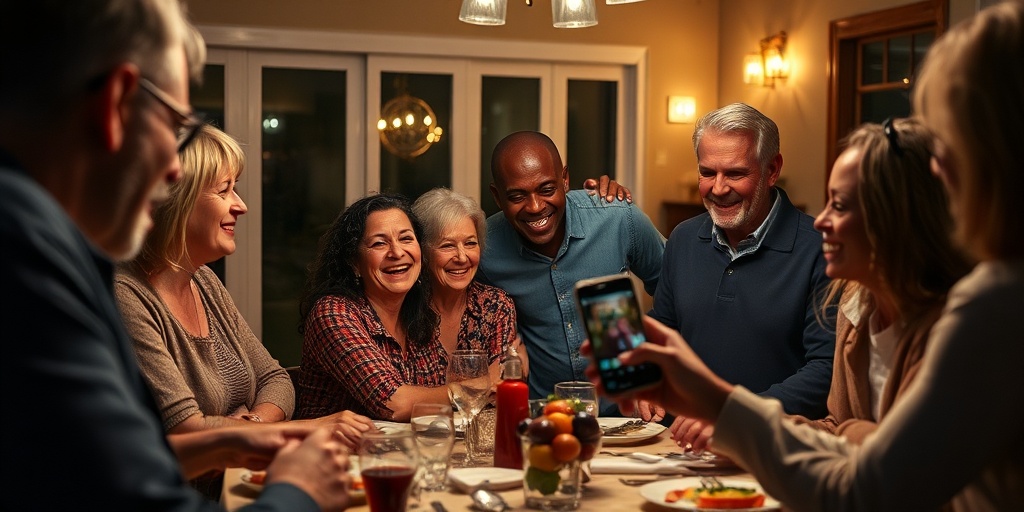
Group chats compress pictures and bury the best shots. Here is how to gather original-quality photos from guests before they forget.
The problem with group chats
A group chat seems like the natural place to ask for event pictures. You create a thread, type a quick reminder, and wait. A few photos arrive immediately, but the thread unravels within hours. Reaction messages, side conversations, and separate banter push the images up the screen where they disappear from view.
The technical downside is worse than the clutter. Most messaging apps automatically downsample media to save cellular data and speed up delivery. A clean 12-megapixel picture straight from a phone camera often gets shrunk to less than two megapixels in a chat thread. The platform discards the dynamic range and fine details, leaving you with noisy files that look passable on a four-inch display but fall apart if you crop them or order prints.
Group chats also strip out exchangeable image file format data, commonly called EXIF data. This metadata contains the precise timestamp, exposure information, and original orientation. Without it, your computer cannot chronological order the pictures automatically, turning what should be a coherent timeline into an unsorted pile.
The forty-eight hour window
Guest responsiveness follows a steep decay curve. The best window to gather photos opens during the event itself and closes roughly two days later. On the night of the gathering, attendees still feel connected to the experience and have their phones in their hands. They review their camera rolls on the ride home or the next morning over breakfast.
By the third day, everyday routines take over. The camera roll fills with grocery lists, receipts, screenshots, and work notes. Asking someone to scroll past three hundred unrelated frames to locate a picture taken on Friday night creates friction. If you wait a week to ask, expect to recover fewer than a quarter of the photos taken.
Cloud storage folders and their trade-offs
Shared folders on mainstream cloud platforms are the standard alternative to messaging threads. Services like Google Drive, Dropbox, or OneDrive let you create a folder and generate an upload link. When configured correctly, they preserve original resolution and keep all files in a single folder on your desktop.
The main hurdle with general cloud storage is account friction. Many cloud providers require the contributor to sign in to an account before uploading files larger than a basic limit. If an attendee uses an operating system or email provider different from the service you picked, they hit a sign-in screen or a prompt to download an application. Most guests will abandon the task at that screen.
If you use a cloud folder, test the upload link in a private browsing window on a phone before sharing it. Make sure an anonymous visitor can tap the link, select three pictures, and upload them without creating a profile or entering a password.
- Set folder permissions to allow file drops without granting delete permissions to contributors.
- Generate a short link or QR code instead of sending a raw URL with sixty random characters.
- Leave the folder open for one week after the event, then change permissions to read-only.
Using shared event albums
Dedicated event photo tools remove the friction by stripping away logins and file managers entirely. Snap Eighteen handles this by using a single printed code: guests scan it with their standard camera app, take or upload their photos directly into the shared event pool, and the album automatically locks when the party ends.
The advantage of an event-specific album over a bare cloud folder is immediate visibility. When guests see other people's candid shots appearing in real time, they are much more likely to contribute their own. It shifts the task from an administrative chore done days later to a shared activity happening during the party.
Where to place your collection prompts
People do not read long instruction sheets while attending a celebration. If you want guests to upload pictures, your call to action must require zero explanation and live in places where their eyes already wander.
Print small cards with a clear QR code and place them in high-dwell areas. The bar, the dessert table, and the coat check are reliable spots. Restroom mirrors and cocktail high-tops work equally well. Avoid putting them only at the entry door; people walk past the entrance with coats and bags and rarely stop to scan anything.
Keep the text on the card down to one sentence. State what the code does, such as scan to add your photos to the party album. Do not include instructions on how to use a phone camera to scan a QR code; modern phone software handles this automatically when the lens points at the pattern.
The post-event follow-up
Even with physical signage, a portion of your guests will wait until the next morning to look through what they captured. Send a single follow-up message the day after the event at around eleven in the morning.
Keep this note brief and functional. Thank everyone for coming, include the direct link to the upload folder or album, and mention that you want candid pictures, blurry outtakes, and short video clips alike. When people believe you only want polished portraits, they hold back the casual shots that usually carry the best memories.
Set an explicit closing date in your note. Telling guests the album closes on Tuesday night gives them a gentle deadline. Open-ended requests invite procrastination, which almost always ends in forgotten files.
Backing up and organizing the final set
Once your collection deadline passes, pull the files off the web immediately. Move the original images onto an external hard drive or your primary personal storage system before you start editing or sharing them.
Sort the intake by timestamp rather than contributor name. This reconstructs the gathering from morning prep through the end of the night, regardless of whose phone captured which angle. Run a quick deduplication check to delete accidental bursts or identical uploads, then back up that final folder to a second physical drive or cold cloud storage service.
Questions
Why do photos sent through SMS or messaging apps look blurry?
Messaging services compress images aggressively to save server bandwidth and speed up delivery across mobile networks. They reduce the pixel dimensions and lower the file quality, which destroys fine detail and makes photos look soft or pixelated when enlarged.
What is the best way to collect photos from guests who use different phone types?
Use a browser-based upload method accessible via a web link or QR code. Avoid built-in platform features like shared photo streams that require every guest to own the same brand of device or hold an active account with a specific software provider.
How long should I leave a photo collection link open?
Keep the upload link active for three to five days after the event. Giving guests a firm, short window creates urgency and prevents the task from getting lost in their schedules, while still giving them enough time to review their camera rolls over the weekend.
Do guests need to install an app to share event photos?
No, and forcing guests to download an app significantly reduces participation. The most effective collection systems work entirely inside a standard mobile web browser that opens directly when scanning a QR code or tapping a text link.
Snap Eighteen is a shared camera for your event. Guests scan a code, everyone’s photos land in one album, and the album closes when the event ends.
See how it works