 Snap Eighteen
How to Shoot Event Videos You Will Actually Watch
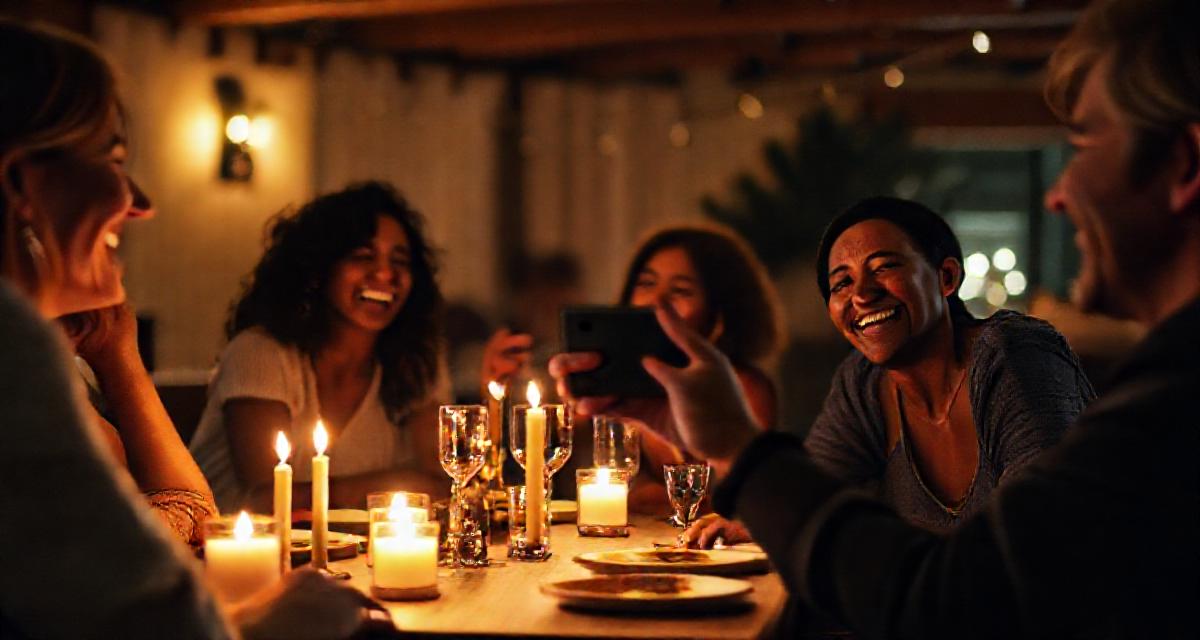
Learn how to capture steady, short event clips on your phone that capture the mood of a room without filling your storage with footage you never open.
The five-second rule
Most event videos fail because they are too long. You press record, leave the camera running for ninety seconds while people mingle, and end up with a sprawling file that is boring to rewatch. Trimming three minutes of meandering footage later feels like a chore, so the video stays buried in your camera roll.
Set a strict target of five to seven seconds for routine moments. Five seconds is enough time to catch someone laughing at a joke, someone clinking a glass, or a child grabbing a slice of cake. If a major milestone happens, like a wedding vow or a speech, let the camera run. For everything else, stop recording the moment the action peaks.
Lock your stance before you press record
Walking while filming on a phone creates a robotic wobble that makes viewers uncomfortable. Phone image stabilization handles gentle motion, but footfalls send sharp jolts straight into the lens. Good event video starts with your feet.
Choose where you want to stand, plant your feet shoulder-width apart, and bring your elbows tight against your ribs. Hold the phone with both hands. If you need to follow an action, rotate your entire torso from the hips instead of panning with your wrists. Moving your core produces a smooth, deliberate arc that looks intentional.
Catch the reaction instead of the setup
Amateur footage often records the setup rather than the payoff. Someone holds a camera on a speaker for two minutes waiting for something interesting to happen, gets tired, drops the phone, and misses the big punchline.
Watch the room with your own eyes first. When you notice a conversation picking up energy or see someone about to blow out candles, raise the phone and start recording. Pay attention to the people listening rather than just the person talking. A four-second shot of a friend doubling over in laughter tells the story of a dinner party better than a wide shot of the table.
Close the distance for clear audio
Phone microphones pick up sounds close to the handset far better than sounds across a room. If you stand ten feet away from a conversation in a noisy restaurant, your microphone will record clattering plates and background music louder than the person speaking.
Get physically closer. Standing between three and five feet from your subject keeps their voice distinct from the ambient room noise. If the venue has loud music, accept that speech will not carry well and focus on clips that work visually, such as toasts, dancing, or food preparation.
Lock your exposure for dim rooms
Party lighting often confuses phone cameras. Overhead spotlights, string lights, and candles force the sensor to constantly adjust brightness, creating distracting shifts between dark and washed-out frames.
Tap the screen where your subject's face appears, hold your finger down until the exposure lock indicator appears, and slide the small brightness icon down slightly. Lowering the exposure protects the highlights from blowing out to pure white and keeps skin tones natural under warm indoor bulbs.
Build a shot list in your head
A collection of clips feels cohesive when there is variety in distance and perspective. If every clip is a chest-height shot of two people talking, the final memories feel flat.
Aim to collect four distinct types of short clips across the night:
- One wide shot showing the full room, decor, and atmosphere.
- Medium shots showing small groups interacting naturally.
- Close-up details of food, drinks, handwritten place cards, or instruments.
- Brief cutaways of people reacting, smiling, or clinking glasses.
Collect everyone's clips in one place
At any gathering, five or six people are usually filming from different corners of the room. When those clips are sent through text messages, messaging apps compress the files, making the footage look grainy and soft.
Set up an album on Snap Eighteen so guests can drop their original-quality clips and photos into a shared space throughout the night. Everyone leaves with the complete record of the evening without anyone having to send cloud drive links or reminder texts the next morning.
Questions
Should I shoot event video in 4K or 1080p?
Use 1080p at 30 frames per second for casual events. It looks sharp on phones, saves significant battery, and keeps file sizes small enough to share without running out of device storage. Choose 4K only if you plan to edit the footage on a computer and need to crop into the frame.
Should I hold my phone vertically or horizontally?
Shoot vertically if you are capturing individual people, candid portraits, and casual clips intended for mobile screens. Shoot horizontally if you want to capture wide tables, stage performances, or landscape room views. Pick one orientation for the event so your saved clips feel consistent when viewed in sequence.
How do I film in dark event venues without bad noise?
Position yourself so available light from lamps, candles, or windows falls across your subject's face rather than behind them. Keep your camera set to 24 or 30 frames per second, which allows more light into the lens than 60 frames per second. Avoid your phone's built-in video flashlight, which creates harsh glares and ruins the natural atmosphere.
Is digital zoom acceptable for event videos?
Avoid pinching the screen to zoom during video recording, as digital zoom simply crops and enlarges the pixels, making the footage noisy and soft. If your phone has separate physical lens buttons like 2x or 3x, use those before you press record. Otherwise, take two physical steps closer to your subject.
Snap Eighteen is a shared camera for your event. Guests scan a code, everyone’s photos land in one album, and the album closes when the event ends.
See how it works