 Snap Eighteen
Low-Light Wedding Reception Photos Without Harsh Flash
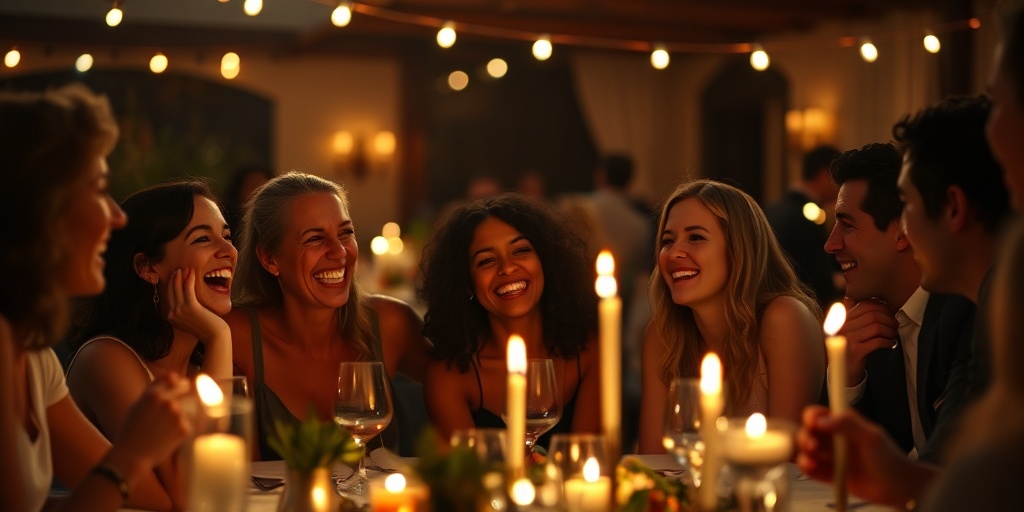
How to take sharp, atmospheric wedding reception photos on your phone in low light without blinding guests or washing out the room.
Why built-in flash works against you
A phone flash is a tiny LED bulb sitting right next to the lens. In a dark room, it fires a harsh, narrow beam directly into faces. The result is always the same: washed-out skin, harsh shadows on the wall behind the subject, and a completely black background. The warm glow of the room disappears entirely.
Flash also breaks the atmosphere. It startles people during quiet toasts, interrupts intimate conversations, and draws attention to the camera. If you want candid reception photos that actually look like the party felt, leave the flash off permanently.
Wipe the lens before you shoot
Phone lenses spend hours in pockets, purses, and greasy hands. At a dinner table, fingerprints transfer to the glass constantly. In daylight, a smudge causes mild haze. In a dim room, it turns every fairy light, candle, and chandelier into a smeared streak of glare.
Wipe the camera glass with a clean cloth or a soft cotton shirt before taking any photos. It is the single fastest way to restore contrast and keep light sources crisp.
Stick to the primary 1x lens
Most modern phones have two or three physical lenses on the back. Only the primary 1x wide lens has the largest physical sensor and the widest aperture. That means it lets in roughly double or triple the physical light of your telephoto or ultra-wide lenses.
Avoid pinching to zoom. Digital zoom does not bring you closer; it simply crops a dark, noisy image into an even grainier one. If you want a tighter shot of someone laughing at the table, step physically closer rather than switching to 3x zoom.
Lock focus and dial down the exposure
In dark rooms, your phone camera tries to make the entire image look as bright as day. It artificially jacks up the sensitivity, which introduces ugly colored grain and turns black shadows into muddy gray. It also slows down the shutter, causing blurry subjects.
Tap your subject's face on the screen to set the focus point. A small sun icon or slider will appear next to the focus box. Drag that slider down slightly until the shadows look deep black and the table candles do not blow out into pure white. Lowering the exposure manually tells the phone to use a faster shutter speed, which sharpens moving subjects instantly.
Hunt for ambient light sources
Receptions are rarely pitch black. Event designers spend hours setting up candles, warm pendant lamps, neon signs, and uplighting along the perimeter walls. Use those sources instead of your flash.
Pay attention to how light falls across people. If you position yourself with a candle or lamp between you and your subject, their face will be in total shadow. Instead, move your body so the candle or uplight hits the side or front of their face. Even a tiny glow from an acoustic performer's spotlight or a menu candle provides enough directional light to make a face pop against a dark room.
Steady your body against room blur
In low light, the camera sensor must stay open longer to gather photons. Any small tremble in your hands will smear the entire frame.
You do not need a tripod, but you do need physical stability. Bring your elbows tight against your ribs instead of holding the phone out at arm's length. If you are standing near an architectural pillar, a wall, or an empty high-top table, rest your arms or lean your shoulder against it. Press the shutter button smoothly, or use the physical volume down button to avoid jolting the screen.
Capture dance floor motion at the pause
Fast dancing in a dark room is the hardest thing for a phone camera to process. Automatic night modes will try to take a three-second exposure, leaving you with ghostly smears of arms and legs.
If your phone automatically switches to Night Mode, tap the icon and force it down to one second or turn it off entirely. Then watch the rhythm of the dancers. People do not move at constant speed; they jump, pause at the peak of a spin, or stop for a second during a chorus. Press the shutter at that exact apex of stillness. If your phone supports burst mode by dragging the shutter button, hold it down for one second during an energetic move and pick the single frame with the least motion blur.
- Turn off multi-second night mode for anything moving faster than a slow walk.
- Time your shot for the brief pause at the end of a spin or gesture.
- Look for the moment the DJ lighting sweeps across the front of the crowd.
Collect everyone's candids before leaving
The best reception photos are rarely taken by one person. While you captured a great candid at table four, someone else caught the bride laughing by the bar, and another friend got the groom on the dance floor. The problem is that gathering those photos through text chains or shared drives days later rarely works.
Setting up a shared album through Snap Eighteen lets every guest scan a single QR code on the table. Photos taken during the night flow directly into one shared collection, giving the hosts hundreds of real, low-light perspectives without anyone chasing down files the next morning.
Questions
Should I turn off Night Mode for wedding receptions?
Turn it off if people are moving. Night Mode combines several exposures over one to three seconds, which creates severe motion blur on dancing or talking guests. Only keep Night Mode on for stationary subjects, like table settings, the cake, or empty venue architecture.
Why do my reception photos look grainy and noisy?
Grain happens when your phone raises its sensor sensitivity to brighten a dark scene. To reduce grain, tap your screen to focus and pull the exposure slider down slightly. This keeps shadows naturally dark and stops the phone from generating artificial noise.
How can I avoid blurry photos on the dance floor?
Turn off long exposure night modes and wait for the DJ wash lights to sweep toward the dancers before pressing the shutter. Keep your elbows tucked into your sides, and take short bursts of photos when the dancer hits the peak of a movement.
Is digital zoom ever acceptable in low light?
No. Digital zoom simply crops the center of an already light-starved image, making digital noise and blur much more noticeable. Always stay on your phone's 1x lens and walk physically closer to the subject instead.
Snap Eighteen is a shared camera for your event. Guests scan a code, everyone’s photos land in one album, and the album closes when the event ends.
See how it works