 Snap Eighteen
How to Photograph Candles and String Lights on a Phone
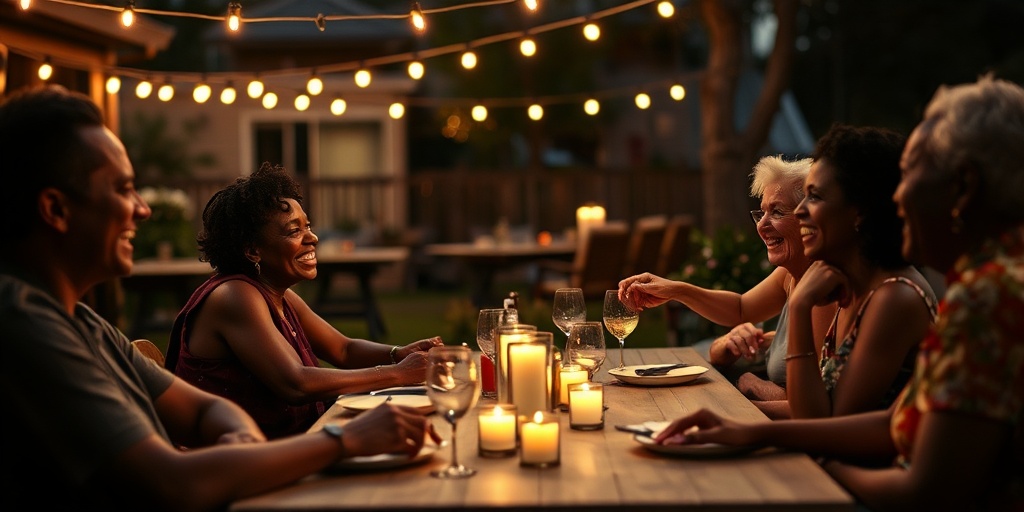
Learn how to expose phone photos when candles or string lights are in the frame without blown-out highlights or murky shadows.
Why bright points of light fool your camera
Your phone camera wants the entire frame to sit at a neutral, medium brightness. When you point it at a room lit by candles or hanging bulb strings, it sees mostly darkness. The sensor immediately boosts the exposure to reveal details in the dark corners. In doing so, it turns small flames and tiny bulbs into blown-out white discs with harsh halos.
The light source itself contains the warm color you want to keep. When a candle flame is overexposed, the yellow, orange, and red tones wash out to pure digital white. To keep the warmth and the gentle shape of the flame or filament, you have to force the camera to underexpose relative to what it thinks is correct.
Lock focus and drag down the exposure slider
The fastest fix on any modern phone takes two seconds before you take the shot. Frame your subject, then tap directly on the screen where the brightest light meets the subject, such as the edge of the candle flame or the illuminated cheek next to a string bulb.
A small sun or slider icon will appear next to your focus box. Slide your finger downward on the screen to lower the exposure. Watch the light source as you slide. Stop the moment the flame develops clear edges and a rich amber color. The background will get darker, but the atmosphere will look true to the room.
- Tap the bright zone rather than the darkest shadows.
- Drag down until the bulb or flame shows its natural color instead of white glare.
- Hold your finger down for two seconds if you need to lock the exposure while you recompose.
Turn off automatic night mode
Most phones switch to night mode automatically whenever ambient light drops below a certain threshold. Night mode captures multiple frames over two to four seconds and stacks them together to brighten the scene. This works well for a dark city street, but it ruins candlelit gatherings.
Night mode forces the shadows to become unnaturally bright and noisy. It also introduces blur if someone moves, laughs, or raises a glass while the shutter is running. Tap the small yellow or white night mode icon on your screen and turn it off completely. A shorter, standard exposure preserves deep, natural blacks and keeps your friends sharp.
Position the light source as the key light
String lights and candles emit very little light. If a string of bulbs sits directly behind someone, their face becomes a muddy silhouette while the bulbs burn into the lens. Unless you want a pure silhouette, you need the light source to cast light across their features.
Ask the person to turn slightly toward the candle on the table, or stand so the hanging string lights fall across their forehead and cheek. The inverse square law applies here: light falls off rapidly with distance. A candle twelve inches from a face provides clear, soft illumination. That same candle three feet away provides almost no usable light on the skin.
Wipe your lens to kill horizontal streaks
Points of light reveal every trace of skin oil and pocket dust on your camera cover glass. If you see long, milky streaks or hazy rings shooting out from every string light bulb, your lens is dirty.
Wipe the camera glass firmly with a cotton shirt or microfiber cloth before taking the shot. A clean lens reduces stray flare and sharpens the contrast between the glowing filament and the dark room.
Separate the subject from background bulbs
String lights look best when they sit slightly out of focus in the background, creating soft glowing circles. To get this look without dedicated portrait hardware, use physical distance to your advantage.
Place your subject close to your phone, around three to four feet away, and ensure the string lights are at least eight to ten feet behind them. Tap to focus on the person. The lens will naturally soften the lights behind them into warm circles, framing them without competing for attention.
Collecting low-light photos from the whole table
At evening events, different people capture completely different angles of the ambient light depending on where they sit. Someone next to the fire pit gets dramatic warmth, while someone under the string lights captures crisp portraits.
Instead of asking everyone to text high-resolution files the next morning, set up a shared album before the dinner begins. Snap Eighteen gives your table a single QR code on the menu or table runner; guests scan it, take their photos through the web camera, and every candlelit shot drops into one combined album before the night ends.
Questions
Should I use the flash when taking photos near candles?
No, leave the flash off. The bright, cool burst from a phone flash will overpower the delicate amber light from candles and string lights, flattening faces and eliminating the ambient atmosphere entirely.
Why do candles in my photos look yellow-green instead of warm orange?
Your phone is trying to correct the warm color cast through automatic white balance. If your camera app has manual controls or a pro mode, set the white balance to daylight or cloudy to prevent the software from cooling down the natural warmth of the flame.
How do I photograph someone blowing out birthday candles without motion blur?
Turn off night mode so the phone uses a fast shutter speed. Lower the exposure manually by tapping on the cake and dragging down, then take a burst of shots right as they exhale so you capture the movement without camera shake.
Can I use portrait mode with string lights in the frame?
Yes, portrait mode works well if the string lights are strictly in the background. However, if any bulbs are close to the subject's hair or shoulders, the computational depth map may accidentally blur the bulb edges or mistake stray wires for hair.
Snap Eighteen is a shared camera for your event. Guests scan a code, everyone’s photos land in one album, and the album closes when the event ends.
See how it works