 Snap Eighteen
Why Portrait Mode Fails on Group Photos and What to Do
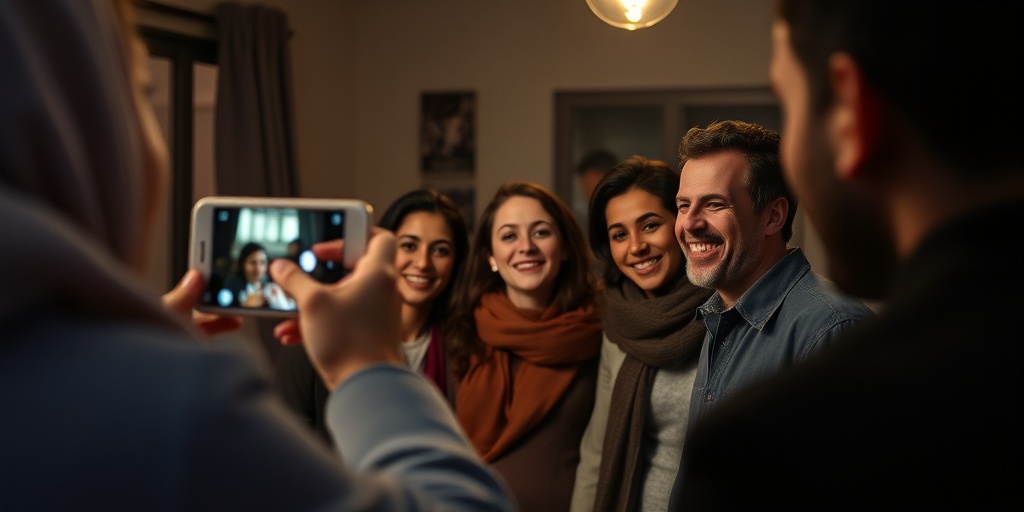
Learn why phone portrait mode ruins group shots with blurred faces and edge glitches, and how to get clean, sharp party photos instead.
How Portrait Mode Reads a Room
Portrait mode does not work like a mechanical camera lens. A traditional lens creates a soft background through physical optics: wide apertures and focal lengths let less light stay sharp behind your subject. A smartphone camera sensor is tiny, so physical depth of field is naturally broad. Everything from two feet away to twenty feet away is usually in focus by default.
To get that soft background on a phone, software steps in. The camera combines data from multiple lenses or uses machine learning to generate a depth map. It estimates the distance between the phone and every object in the frame, slices the scene into layers, and paints a software blur over the background layers. When there is only one person centered two paces away against an open room, this calculation works well.
Why Group Photos Break the Software
Groups break depth maps instantly because people rarely stand on a single, two-dimensional line. One person stands half a step forward. Another leans in from behind. Someone else extends an arm around their neighbor. The phone now has to track four to eight distinct silhouettes at varying distances, often against crowded party backgrounds.
The software struggles to identify where one person ends and the background begins. It frequently misinterprets the space between two heads as a solid object, blurring it entirely. Worse, it often decides that the person standing three inches behind the center person is part of the background. That leaves one person sharp while their friend next to them gets a smudged ear, blurred hair, or soft features.
- Cut-off hair and ears where edges meet darker backgrounds
- Blurred shoulders on anyone standing slightly behind the front person
- Disappearing drinks, glasses, and raised hands that the phone mistakes for background clutter
- Sharp foreground faces paired with hazy, muddy faces beside them
The Shutter Lag Penalty in Low Light
Portrait mode requires massive processing power. At a party, where light levels are already lower than outdoors, the phone needs longer exposure times to capture an image. Combining a slow shutter speed with computational depth processing creates noticeable shutter lag.
You tap the capture button when everyone smiles, but the phone captures the frame half a second later. In that brief window, someone blinks, starts laughing, or turns their head. A normal photo mode captures the frame almost instantaneously and handles low-light motion far better than portrait mode.
Step One: Switch Back to Standard Photo Mode
The simplest fix is to stay in standard photo mode whenever you photograph two or more people. Standard mode uses the entire camera sensor without attempting fake blur. You keep sharp details on every face, edge-to-edge.
If you want visual depth without software artifacts, use physical separation. Move your group three to four feet away from any wall, fence, or curtain behind them. Even with a small phone sensor, putting space between your subjects and the wall naturally makes the people stand out without smudging their hair.
Step Two: Lock Focus on the Front Plane
When photographing a group, depth of field extends roughly one-third in front of the focus point and two-thirds behind it. If you tap to focus on someone in the back row, the front row can soften.
Tap the screen on the face of the person closest to your camera. If you have the group arranged in two tiers, tap the person in the middle of the front tier. This anchors your focus point and gives the lens the best chance of keeping every row sharp.
Instruct everyone to keep their faces on roughly the same invisible curve. If people lean their heads back or crane forward, they leave the focal plane. A quick cue like 'bring your heads level with the front row' solves most sharpness problems before you press the shutter.
Step Three: Use Optical Zoom Instead of Digital Blur
If your phone has a dedicated 2x or 3x telephoto lens, use that lens in standard photo mode instead of using portrait mode on the main wide lens. Step back five paces and frame the group using the optical zoom.
Telephoto lenses compress perspective. They make background elements appear closer and larger, which creates a cleaner, more flattering composition. People's faces look more natural because the wider lens distortion around the edges of the frame disappears. You get a tidy, professional look with natural lens compression and none of the software haloing.
Stop Passing One Phone Around
Group photos usually fail twice: first from bad camera settings, and second from social exhaustion. Three different people hand their phones to one person, forcing the group to hold stiff poses through twelve consecutive shutter clicks. Smiles turn plastic and people wander off.
Take the photo once on standard mode, using clean natural light and proper distance. If you use an app like Snap Eighteen, guests scan a code at the door, one person takes the group shot, and it instantly syncs to everyone's shared album. Nobody needs to pass unlocked phones around or spend the next morning texting low-resolution versions back and forth.
Questions
Can you fix a botched portrait mode photo after taking it?
Yes, on most modern phones. Open the photo in your native gallery, tap edit, and look for the portrait or aperture slider. You can lower the blur effect to zero or turn off portrait mode entirely to restore the sharp background and clean edges.
When is portrait mode actually worth using at an event?
Use portrait mode exclusively for single-person close-ups in good light. It excels at headshots and waist-up shots where the subject is clear of the background and sitting or standing still.
Why does portrait mode make party drinks and glasses disappear?
Phone depth sensors struggle with transparent glass and thin lines. The algorithm cannot easily tell whether clear liquid and glass edges are in front of or behind the subject, so it defaults to blurring them into the background.
Does flash help portrait mode in dark venues?
Usually not. Flash illuminates the subject abruptly, while the background remains pitch black, causing the edge-detection algorithm to cut people out with severe, artificial halos. It is better to use night mode or standard photo mode with continuous ambient light.
Snap Eighteen is a shared camera for your event. Guests scan a code, everyone’s photos land in one album, and the album closes when the event ends.
See how it works