 Snap Eighteen
Why Portrait Mode Ruins Group Photos at Parties
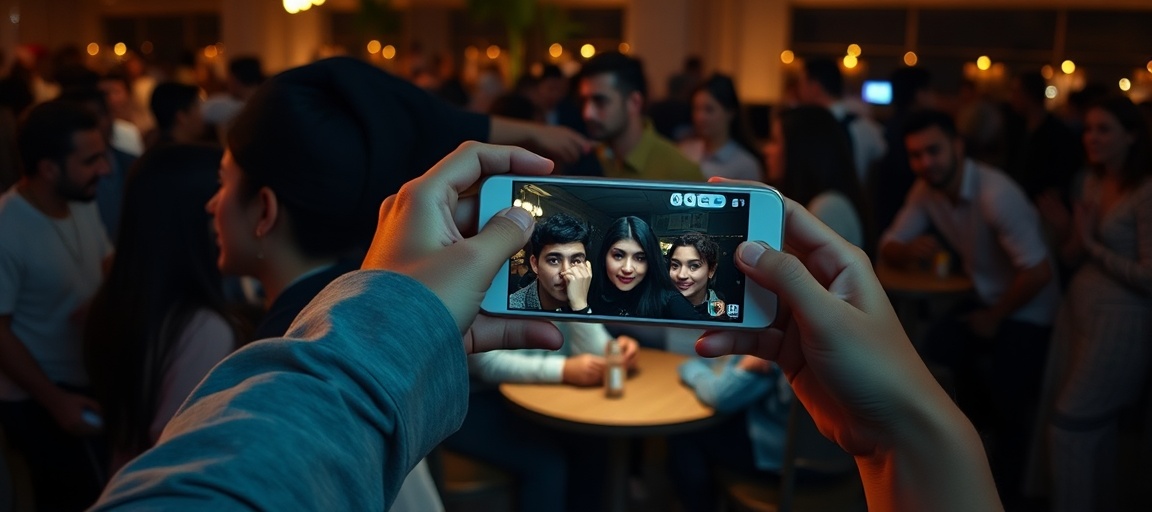
Portrait mode cuts off ears and blurs people standing in the back. Learn why the software fails on groups and what camera settings to use instead.
The software is designed for one face
Portrait mode works by creating an artificial depth map. The phone camera takes the raw image, finds human features, outlines the subject, and blurs everything else to mimic an expensive wide-aperture lens. Phone software handles this well when one person stands directly facing the lens against a distant background.
When three or four people enter the frame, the calculation breaks down. The software must decide where the foreground ends and the background begins. If one person stands six inches behind another, the phone often classifies the rear person as background and applies the blur directly over their face, hair, or jacket.
The edge detection problem
Computational blur relies on edge detection algorithms. These algorithms look for high-contrast boundaries between skin, hair, and clothing to build a digital cutout. In party lighting, contrast drops significantly. Dark clothing blends into dim walls, and shadows obscure where one person ends and another begins.
This leads to obvious artifacts around group edges. The camera will frequently blur the ears of the people on the outside edge of the frame, melt glasses frames into the wall, or leave an unblurred halo of sharp background between two people standing shoulder to shoulder. The resulting photograph looks artificial and sloppy.
Zoom lenses let in less light
Most phones automatically switch to a 2x or 3x telephoto camera when you select portrait mode. Telephoto lenses have smaller physical apertures than the main camera lens. A main camera often has an aperture around f/1.6 to f/1.8, while the telephoto camera is typically f/2.4 to f/2.8.
A smaller aperture gathers far less light. In a dim living room or bar, your phone compensates for this missing light by lowering the shutter speed and raising the sensor sensitivity. A lower shutter speed means that slight hand shake or someone laughing will turn the entire group photo blurry. Raising sensor sensitivity adds visible digital noise, wiping out skin textures and fine details.
Switch back to the standard 1x camera
The fastest fix is simple: tap out of portrait mode and use the standard photo mode on the main 1x lens. The 1x lens uses the largest sensor and widest aperture on your phone, which gives you several immediate advantages.
First, the shutter speed stays high enough to freeze natural movement and laughter. Second, you get true optical sharpness across every face without an algorithm guessing who matters. Third, the physical sensor size of a modern main camera provides subtle, natural depth of field on its own if the background is far enough behind the subjects.
How to position the group
If you want everyone in focus, keep them on the same focal plane. Imagine an invisible glass wall parallel to your phone. Everyone in the photo should have their nose roughly touching that same sheet of glass. A straight line or a very gentle curve keeps every face at an equal distance from the lens.
Do not place people in two deep rows where the front row sits and the back row stands two feet back. In low light, the depth of field on the main lens might still leave the back row slightly soft. Pull the back row tight to the front row, or bring everyone down to the same seated level.
Create separation without software
You do not need simulated blur to make a group stand out from a room. You can achieve better visual separation simply by managing physical distance.
Move the group at least four to six feet away from any wall, banner, or dense crowd behind them. Step back with your phone to frame the group, then tap the face of the person in the middle to lock the focus. The physical distance between the subjects and the background creates natural visual priority, keeping the people sharp and the background secondary.
- Leave four to six feet between your group and the wall behind them.
- Hold the phone at chest height rather than looking down from above.
- Tap the center person on your screen to set focus and exposure for the group.
- Take a burst of three or four frames to avoid blinking eyes.
Getting the shots into one place
When people turn off portrait mode, they capture far more usable, sharp moments throughout the night. The challenge at events is usually getting those photos off individual devices before people forget or send them through messaging apps that compress the quality.
Snap Eighteen solves that part simply: guests scan a code at the door or table, take photos on their standard cameras, and every shot drops into a single shared album that wraps up when the party ends. Nobody has to hunt down photos the next morning or deal with degraded group chat files.
Questions
Can I remove portrait mode blur from a photo after taking it?
Yes, on most modern phones. Open the photo in your native gallery, tap edit, and look for the portrait or f-stop toggle. You can dial the blur slider down to zero to restore the sharp original image.
Why does portrait mode make group photos look grainy in dim rooms?
Portrait mode often forces the phone to use its telephoto lens, which has a smaller physical aperture. Because less light reaches the sensor, the phone increases digital sensitivity, creating coarse grain and blotchy shadows.
When is it actually safe to use portrait mode?
Portrait mode works best on one or two people who are positioned at the exact same distance from the camera. It also requires steady, ample light so the phone can clearly map edges without adding motion blur.
Should I use the 0.5x ultra-wide lens for large party groups instead?
Only use the ultra-wide lens if you cannot physically step back. The 0.5x camera has a smaller sensor that struggles in low light, and it severely stretches faces located near the outside edges of the frame.
Snap Eighteen is a shared camera for your event. Guests scan a code, everyone’s photos land in one album, and the album closes when the event ends.
See how it works